
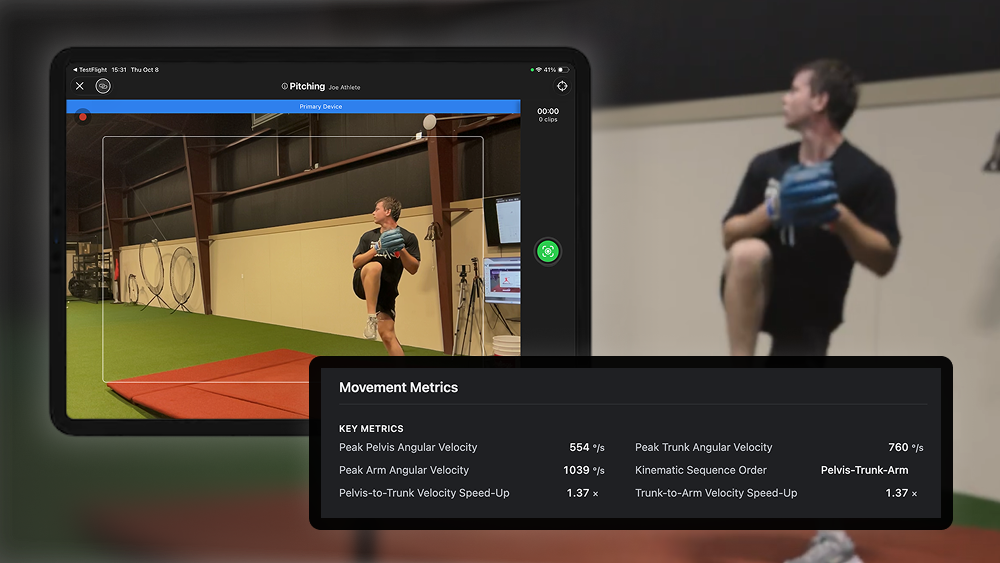
Over the last few months, we've laser-focused on three things:
This focus is reflected in our newest batch of product improvements, outlined below.
We've been rolling out auto-capture over the last few months, and we're thrilled that so many of you now use it in your day-to-day sessions. With increased use, we've learned about specific setups where auto-capture could record even though a valid movement hadn't happened, most often in pitching.
The latest update to Uplift Capture (version 2.5.801) dramatically improves auto-capture reliability. You'll see improvements across every movement that supports auto-capture, with the most noticeable improvements in pitching assessments. That means fewer stray captures to sort through, and more time working with your athletes.
Note: please make sure no one other than the athlete is prominently visible in frame. Keeping the video clean of other people (or making sure others are far away in the background) will make sure that auto-capture works reliably and that our movement analysis doesn’t mistake others for the athlete performing the assessment, which can cause QA to fail.
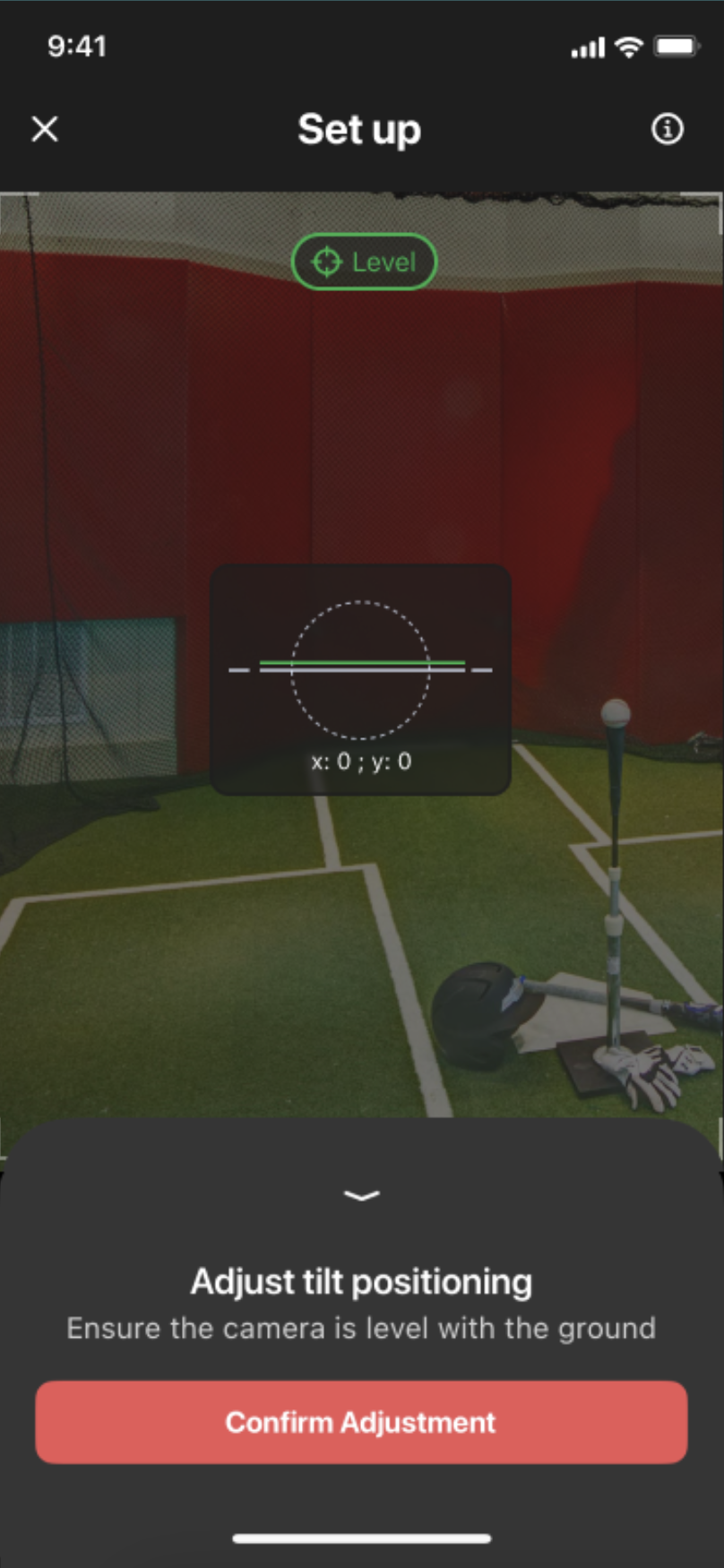
Tilt calibration is now more forgiving. Keeping cameras level is important, because it lets us accurately define the 3D space and calculate precise metrics. But we've also heard that adjusting the tilt can be challenging. After some testing, we've loosened the tolerance on the tilt control. It should now be easier to lock in, making it easier to set up your cameras and begin recording.
Update to the latest version of Uplift Capture (version 2.5.801) to get these improvements: App Store
Pro-tier organizations now have access to summary-level raw data, through CSV export or our data API. Anyone on Uplift Pro can now download summary-level metrics for any movement they capture from the web app, or query them through the API. That makes it much easier to bring Uplift's movement assessment performance results into any reports or analysis you're already building for your athletes.
For details on what's included in summary-level metrics, and how to access your raw data via CSV or API, follow these links:
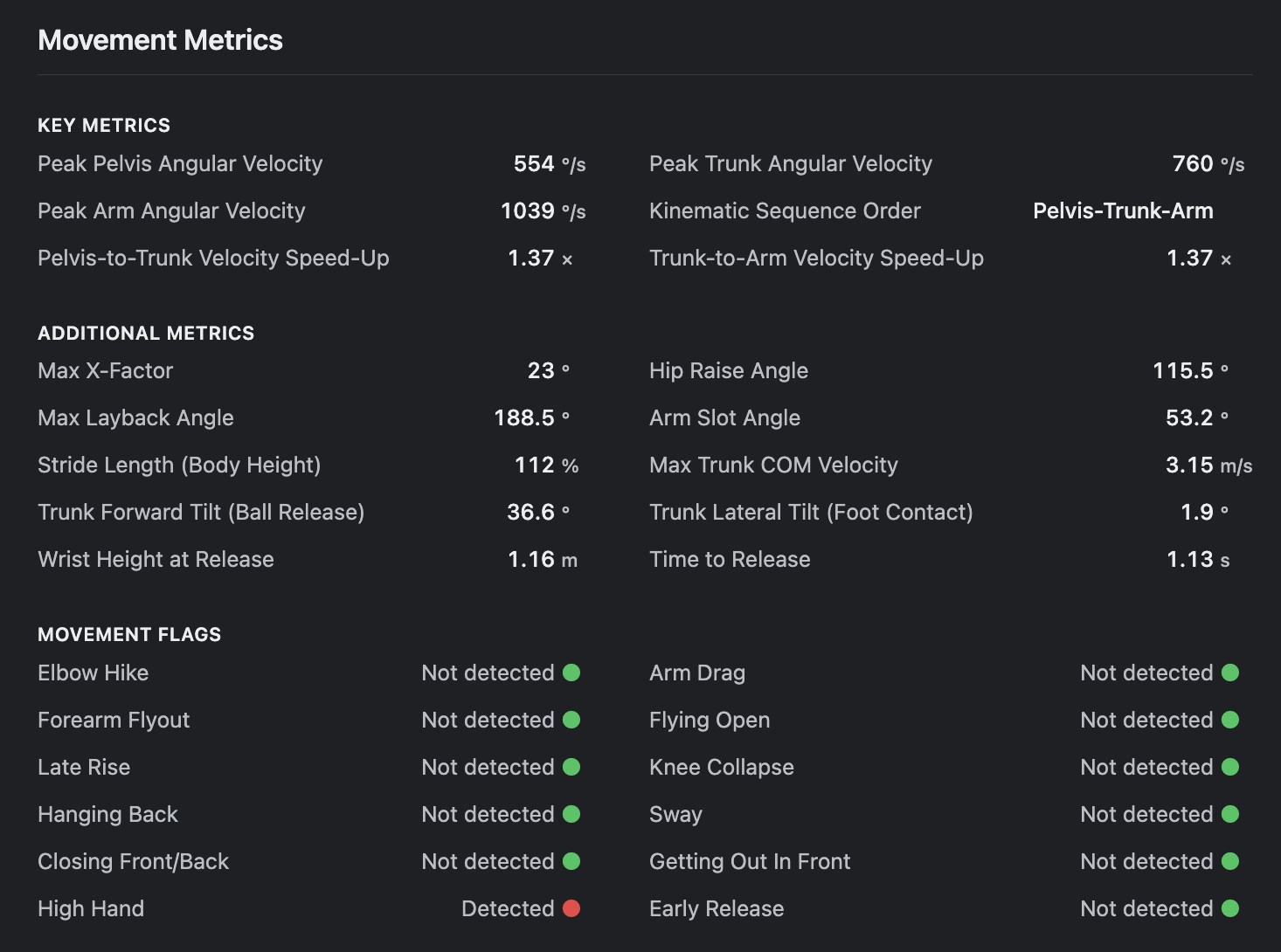
The metrics you see for each individual capture in the web app are now more detailed. Open any single pitch, swing, or jump from the Captures view and you'll find more data to review. That's useful if you want to treat one swing as the representative swing from a batting cage session, or dig into an outlier and see what happened.
We've launched a brand new Help Center with clearer, more concise, and fully up-to-date guidance on devices and setup, running an assessment, and reviewing data, as well as tips, tricks, and troubleshooting. If you’re new to Uplift Capture, the included Getting Started guide is a great place to start.

This help center replaces our older knowledge base, and we’ll keep building out more educational and help content over time. If you have a question and can't find the answer, email us at support@uplift.ai so we can add content that helps.
We're just getting started. Over the coming months, we'll keep making Uplift Capture easier to use, expanding the movements we support, and giving you more ways to put your data to work. As always, we'd love to hear what you think.
Want to bring Uplift to more athletes or another program? Explore our tiers, or introduce us to an organization that could benefit, at sales@uplift.ai.